Have you ever wandered for hours in Minecraft trying to find a jungle biome, a stronghold, or that one slime chunk you need, only to come up empty-handed? The thrill of exploration is part of what makes the game special, but sometimes the randomness can be exhausting.
That’s why so many players turn to Chunkbase. It takes the guesswork out of locating biomes and structures, turning hours of searching into minutes of planning. Think of it as your personal Minecraft GPS.
Let’s walk through what Chunkbase is, how it works, and why it can completely change the way you play.
What Exactly Is Chunkbase?
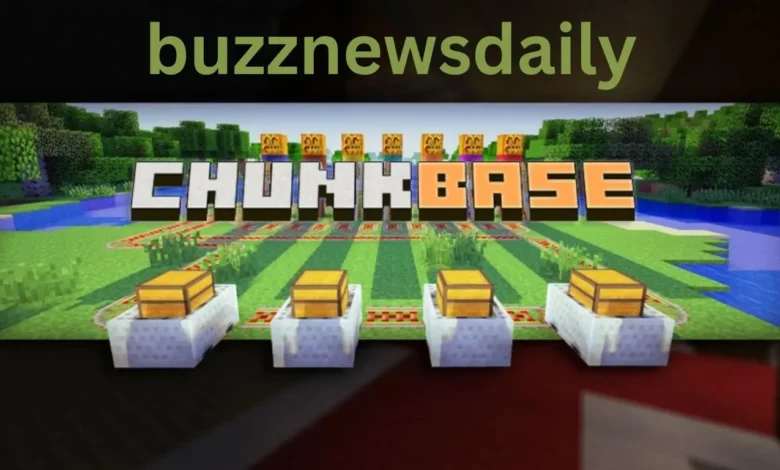
Chunkbase is a free, browser-based tool that shows you a map of your Minecraft world. It works by reading your seed, the code Minecraft uses to generate terrain, and turning it into an interactive world view.
Just paste in your seed, pick your game version (Java or Bedrock), and you’ll instantly see where biomes, structures, and slime chunks are hiding.
One of its biggest perks is that it’s cross-platform. Whether you’re playing on PC with Java or on console/mobile with Bedrock, Chunkbase supports you. Even better, it doesn’t need mods or downloads and doesn’t change your game files. That makes it safe and accepted by the Minecraft community.
The Best Tools in Chunkbase
Chunkbase has a handful of tools, each solving a different problem. Here are the standouts:
1. Biome Finder
Biomes shape how your Minecraft world feels: snowy tundras, lush jungles, and mushroom fields. Some are easy to stumble across. Others can take hours to find.
The Biome Finder shows every biome in your world. After entering your seed, you can scroll across the map and see exactly where to go. This is perfect for builders who want specific scenery or players chasing rare biomes.
2. Slime Chunk Finder
Slimes are key for sticky pistons, slime blocks, and leads, but they only spawn in special chunks below Y=40. Guessing where those are is a grind.
The Slime Chunk Finder highlights all slime-eligible chunks on the map. It’s a massive time-saver if you’re building a slime farm or using slime mechanics in redstone builds.
3. Structure Finder
Villages, mansions, bastions, and ocean monuments—these landmarks can be game-changing. Normally, you’d spend ages exploring or burn through Eyes of Ender to locate strongholds.
The Structure Finder skips the wandering. It pinpoints exactly where each major structure is located. Great for speedrunners, survival players who want to settle near a village, or anyone hunting loot quickly.
4. Seed Map Overview
If you want the big picture, the seed map tool is your friend. It gives you a bird’s-eye view of the whole world with every biome and structure overlaid.
This is a planning goldmine, ideal for organizing server bases, plotting adventure routes, or designing a mega-build that sits between several biomes.
Step-by-Step: How to Use Chunkbase
Step 1: Get Your Seed
In single-player, open chat, and type /seed. The game will show your seed number. On servers, you’ll need permission from the admin to see it.
Step 2: Open Chunkbase
Go to the Chunkbase website in your browser. You’ll see a list of tools on the homepage.
Step 3: Choose a Tool
Click the one you need—Biome Finder, Structure Finder, or Slime Chunk Finder.
Step 4: Enter Seed and Version
Paste your seed into the box. Select your Minecraft version (Java or Bedrock) so the map matches your world’s generation rules.
Step 5: Explore the Map
The map will load with everything marked. Zoom in, scroll, and click icons to see coordinates. Write them down or head there in-game.
Why Players Love Chunkbase
Time Saver: Instead of running in circles for hours, you can head straight to what you need.
Better Planning: You can plan bases, farms, and builds around nearby resources and structures.
Builder Friendly: Find the perfect spot with the right backdrop for your next big project.
Survival Boost: Locating early villages or temples makes surviving those first few nights much easier.
Speedrunning Tool: Know where the stronghold is before you even start, cutting minutes off your run.
Things to Keep in Mind
Chunkbase is powerful, but there are limits.
- You need the seed: without it, Chunkbase can’t generate the map.
- Occasional Inaccuracy: World generation changes slightly with some updates. Always verify coordinates in-game before building big farms.
- Spoilers Ahead: If you love natural discovery, using Chunkbase will remove that sense of mystery.
When Chunkbase Is Most Useful
- Speedruns: Quick stronghold locations mean faster Ender Dragon fights.
- Survival Worlds: Settle near villages, temples, or rare biomes for easier gameplay.
- Creative Projects: Plan themed builds with perfect terrain layouts.
- Mob Farming: Slime Chunk Finder is essential for efficient slime farms.
- Server Planning: Coordinate base spots and resource sharing with friends.
Final Thoughts
Chunkbase is more than a mapping site; it’s a tool that gives Minecraft players control over their worlds. Whether you’re a casual explorer or a hardcore builder, it turns trial-and-error searching into strategic planning.
The next time you need a jungle biome, a slime chunk, or a stronghold, don’t spend hours guessing. Open Chunkbase, plug in your seed, and set out with a clear plan.
Frequently Asked Questions
Q1: Is Chunkbase free?
Yes. Every tool is completely free to use; no downloads are required.
Q2: Does it work with both Java and Bedrock?
Yes. Just choose the correct version before loading your seed.
Q3: Is using Chunkbase cheating?
No. It doesn’t change game files or give you unfair advantages; it just shows map data.
Q4: Can I use Chunkbase on my phone?
Yes. The site works on most mobile browsers, so you can check coordinates on the go.
Q5: How do I find my world seed?
Use /seed in single-player chat. For servers, ask the admin.
Q6: Are slime chunk results accurate?
Generally, yes, but always test by lighting and clearing chunks before building a full farm.
Q7: What if my version isn’t listed?
Pick the closest stable version. Chunkbase updates frequently to stay current.